Best Bar Inventory Software in 2026: How to Choose the Right System
The short answer: The best bar inventory software for your bar measures partial bottles accurately, pulls sales from your POS automatically, and turns the gap between what you poured and what you sold into a variance report you can act on every week. Start from how you count today, shortlist two or three tools that integrate with your POS, and test them on a real count before you sign.
Key takeaways
- Partial-bottle accuracy decides how much you can trust every report. Weighing open bottles is the most precise method. Visual estimates are faster but depend on who's counting.
- POS integration with recipe mapping is what turns a count into variance by item, in dollars.
- Free and low-cost tools exist, but they usually leave out POS integration and variance reporting.
- Judge vendors on a real count with your own items, then run a 30- to 60-day pilot against a baseline.
What is bar inventory software?
Bar inventory software is a mobile app and web dashboard that records the liquor, beer, wine and mixers you have on hand, what you received from vendors, and what you sold through your POS. From those three numbers it calculates usage, cost of goods sold and variance.
The math it automates is simple:
- Usage = beginning inventory + purchases − ending inventory
- Theoretical usage = what your POS sales and recipes say you should have used
- Variance = actual usage − theoretical usage
A spreadsheet can handle the first line. The second and third are where software earns its cost, because they need sales data, recipes and pour sizes kept in sync every week.
Best bar inventory software in 2026: the shortlist
WISK makes bar inventory software, and it's on this list. Every entry below sticks to what each vendor publishes about its own product, and each one says who it fits best, including when that isn't WISK.
WISK
WISK is bar inventory software for high-volume bars, hotel bars and multi-outlet properties where liquor and wine drive revenue. Staff count with a phone, using barcode scanning and a Bluetooth scale that weighs open bottles, and the app keeps working offline in storage rooms. WISK connects to 60+ POS systems to compare actual and theoretical usage by item, processes vendor invoices with AI so item costs stay current, and handles ordering and receiving from a 200,000-bottle product database.
- Pricing: Published. The Beverage plan for a single venue is $249/month plus a one-time $750 setup fee. Multi-outlet and enterprise plans are on WISK's pricing page.
- Good fit if: you need scale-accurate partials, POS variance and invoices in one system, across one or many outlets.
- Consider another tool if: you run one small bar and want a free plan to start. WISK's plans are paid.
- Learn more: WISK bar inventory management software
Backbar
Backbar is a bar inventory app aimed at independent bars and growing groups. Staff count in a mobile app with phone-camera barcode scanning, and kegs can be tracked by size or weighed on a scale.
- Pricing: A free Basic plan covers one location, with six months of history and limited reports. Paid Essential and Professional plans add POS integration, recipe costing and multi-location support.
- Good fit if: you run one bar and want a free way to move off spreadsheets.
- Check before you buy: which reports and integrations sit on the free plan versus paid tiers, and how partial bottles are measured.
BevSpot
BevSpot is food and beverage management software covering inventory, ordering, invoicing and sales data. Counts are organized by storage area with an offline mode, orders go to vendors from inside the app, and POS sales feed item-level variance and menu profitability reports.
- Pricing: Published annual plans and a free trial. POS integration is free with BevSpot's preferred partners (Lightspeed, Square, Toast and Upserve); other POS systems carry an activation fee. Food and beverage are priced separately.
- Good fit if: you want bar and kitchen ordering, recipe costing and inventory in one tool.
- Check before you buy: the activation fee for your POS if it isn't a preferred partner.
- Compare: WISK vs BevSpot
Partender
Partender is a bar inventory app built around counting speed. Staff tap the liquid level on an image of each bottle and swipe to the next, and several people can split a count across devices. It builds orders from usage, sends price-change alerts and reports usage and variance. It also counts beer, wine, kegs and food.
- Pricing: Subscription. Pricing isn't published, so request a quote.
- Good fit if: you want fast counts with a phone and no scale hardware.
- Check before you buy: how visual estimates hold up on your highest-cost bottles, and which POS systems it connects to.
- Compare: WISK vs Partender
Craftable
Craftable is an operations platform for restaurants, bars, hotels and resorts. Its Inventory & Recipe Management module ties physical counts to recipes and theoretical usage, alongside intelligent ordering and AP automation that matches invoices to purchase orders. Craftable says it supports 1,000+ POS, EDI and API integrations.
- Pricing: Not published; available through a demo.
- Good fit if: you run a multi-unit group or hotel and want AP automation and inventory in one suite.
- Check before you buy: how partial bottles are counted, and how much of the suite you need for bar inventory alone.
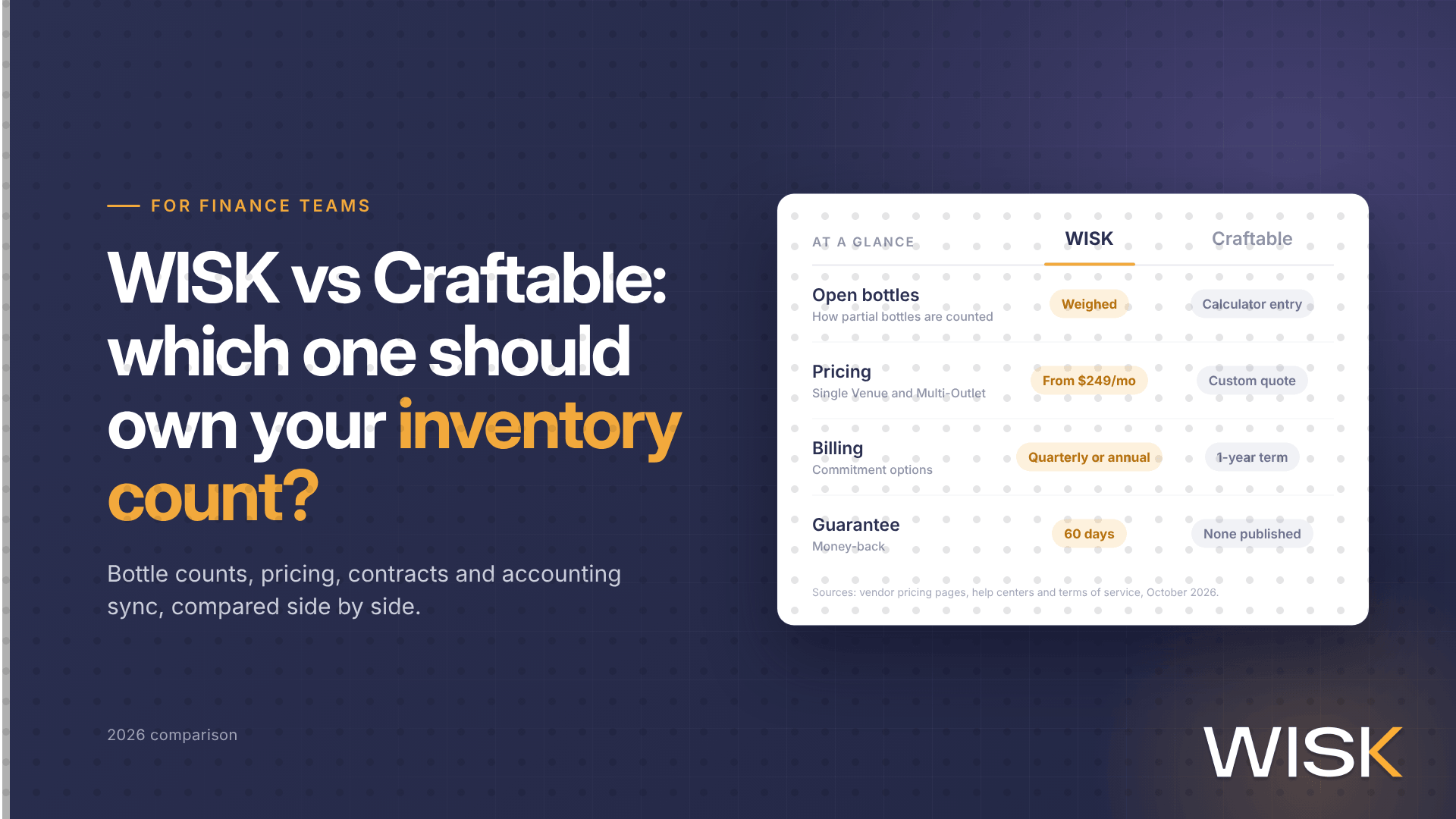
- Compare: WISK vs Craftable and WISK vs Craftable for finance teams
What features matter most in bar inventory software?
1. Accurate partial-bottle measurement
Every report depends on how the app measures open bottles. Weighing with a Bluetooth scale measures the liquid that's actually left. Visual estimates, in tenths or by tapping a fill line on a bottle image, are faster but vary from one counter to the next. Barcode scanning identifies the bottle; it doesn't measure what's inside.
2. POS integration with recipe mapping
Integration should do more than import sales totals. Each POS item needs to map to a recipe and pour size, including doubles, modifiers, batches and comps, so the software can calculate theoretical usage for every bottle.
3. Variance reporting in dollars
Look for actual vs. theoretical reports by item, category and location, in dollars as well as ounces. Three missing ounces of well vodka and three missing ounces of an aged Scotch are not the same problem.
4. Ordering tied to pars and usage
Suggested orders built from par levels and recent usage cut both stockouts and dead stock. Check that you can send orders to vendors from the app and receive deliveries against them.
5. Invoice capture and price-change alerts
Costs drift one invoice at a time. Invoice management that captures invoices, matches them to orders and updates item costs keeps your pour cost current and shows you when a vendor changes a price. For using that data in vendor conversations, see how to optimize vendor pricing with inventory data.
6. A large, maintained product database
A large database of spirits, wine, beer and kegs means less manual item setup and cleaner ordering. Ask how new SKUs get added and who maintains bottle sizes and empty-bottle weights.
7. Offline, multi-device, multi-user counting
Walk-ins and basements often have no signal. The app should count offline and sync later, and let several people count different areas at the same time.
8. Multi-location roll-up
If you run more than one bar or outlet, you need transfers between locations, one view of variance across them, and central purchasing. Our guide to managing liquor inventory across multiple locations covers the workflow.
9. Onboarding and support you can reach
Ask who builds your item list and recipes, how long until your first full count, and whether support is available during your service hours, not just the vendor's office hours.
Scale, visual estimate or barcode: which counting method is most accurate?
Weighing is the most precise way to count partial bottles, because the scale measures the liquid that's left instead of estimating it. Visual estimates are faster and need no hardware, but results vary by counter and bottle shape. Barcode scanning speeds up finding and counting full bottles but doesn't measure partials on its own. Most bars combine methods. WISK's bar inventory app, for example, pairs barcode scanning with a Bluetooth scale.
How does POS integration work in bar inventory software?
POS integration connects what was rung up with what was poured. Integrations usually fall into four levels, and each one adds what the level before can't do:
- Sales feed. The POS sends item-level sales to the inventory software, so you can see what sold next to what was used.
- Recipe-mapped sync. Each POS item maps to a recipe and pour size, so the software calculates theoretical usage per bottle.
- Measured counts plus recipe mapping. Scale or scan counts are compared with theoretical usage, giving you variance by item. This is the minimum level for catching over-pouring and unrung drinks bottle by bottle.
- Full operations. Invoices, purchasing and accounting connect too, so item costs and cost of goods sold update without re-keying.
Before you buy, confirm the vendor integrates with your exact POS, how often sales sync, and whether there's a fee for your system. WISK lists its supported systems on its POS integrations page. For why a POS's built-in inventory module usually isn't enough on its own, see why relying on food inventory in a POS is not sufficient.
Do you need bar inventory software, or is a spreadsheet enough?
A spreadsheet works for a small bar with a short back bar, one person counting and no POS reconciliation. Most bars outgrow it when one or more of these is true:
- A full count takes hours or more than one person, so it gets skipped.
- You find out about a cost problem at month-end, after the money is gone.
- You can see liquor cost is up, but not which bottles, shifts or outlets drove it.
- Vendor prices change on invoices, but the costs in your sheet don't.
- You run more than one bar, outlet or location and move stock between them.
- Two people count the same shelf and get different numbers.
Three assumptions keep bars on spreadsheets longer than they should:
- "Manual counting is free." It costs labor hours every count, and the numbers often arrive too late to change ordering or pouring.
- "Software needs a big budget." Some tools have free tiers, and paid plans range from published monthly prices to custom quotes.
- "Eyeballing is accurate enough." Small misreads on expensive bottles add up across a back bar. Use measured counts on your highest-cost items at least.
If you're not ready for software yet, start with WISK's free bar inventory spreadsheet and a fixed counting schedule. Our step-by-step guide to bar inventory covers the counting process itself.
How to choose bar inventory software in 5 steps
- Write down how you count today and what breaks. Sort requirements into must-haves (your POS, how you want to measure partials, number of locations) and nice-to-haves, and turn them into a simple comparison matrix.
- Start your search from your POS partner list. Vendors already integrated with your POS save setup time and, in some cases, activation fees.
- Shortlist two or three and check with peers. Read recent reviews on software review sites and ask other bar managers and beverage directors what they use and why they'd switch.
- Demo with your own items. Bring your item list, a few cocktail specs and a recent invoice. Ask the vendor to run a count and a variance report with them, not a demo account.
- Pilot for 30 to 60 days against a baseline. Before you start, record time per full count, liquor cost percentage and variance in dollars. Compare the same numbers at the end.
What to track in your first 90 days
Once the system is live, review these numbers weekly so the software changes decisions, not just reports:
- Variance in dollars by item, category and location
- Theoretical vs. actual usage for your top 10 sellers
- Pour cost percentage by category. WISK's liquor cost calculator shows the math.
- Time per full count, per location
- Dead stock: items with no movement since the last order, and how long they've been sitting
- Price changes on your highest-spend SKUs, invoice by invoice
Frequently asked questions